
VRS QR Connect: DFP20 Adapters & Compatibility Guide
January 7, 2025
|
7 mins read

As we explored in the previous article (https://vrs.racing/vrs-transitioning-to-the-new-qr-connect-system) on the subject, VRS have transitioned to the new QR Connect system. One of the side effects of this is that it breaks compatibility with our previous QR solution.
To solve this issue, we’ve created two new accessories for both the Upgradable(u) and standard Direct Force Pro (DFP20) wheelbases. Let’s take a look at them…
The New and Improved QR Connect
QR Connect (u)DFP20 adapter
This adapter is built specifically for the (u)DFP20 for its transition to the VRS QR Connect system, making the (u)DFP20 100% compatible with VRS QR Connect.

The VRS QR Connect (u)DFP20 adapter also includes a slip-ring so the cable is fully decoupled from a steering wheel rotation. This allows for the removal of mechanical stress from the cable connecting a steering wheel to the user's PC, meaning no more twist or tension issues.

The QR circuit board uses a VRS open pattern to transfer USB data and power.

This adapter works natively with the new R295 QR Connect steering wheel. For other wheels including VRS Formula Pro and Lite we are introducing an adapter.
QR Connect Wheel Adapter
This adapter will work with any Wheel with a 70mm bolt pattern, which is the most common type. For both the Formula Wheel Lite and Pro we have created a custom cable connection for simple connectivity.

In the picture above you can see the wheel connected to a 70mm to 50mm adapter and then to the VRS 50mm QR same as on the R295 wheel. Below is an illustration of this connection to the wheel.
Additionally, there are 2 cable connections depending on the wheel. For customers with VRS wheels, we have a connection directly to the wheel, and for Non-VRS wheels, there will be a USB female connection for power and data, which you’d connect to your PC like any other USB device.

The PCB facing a steering wheel has a standard Molex connector so it’s possible to DIY a custom cable that would go directly to the connector on your steering wheel if it supports a USB connection.
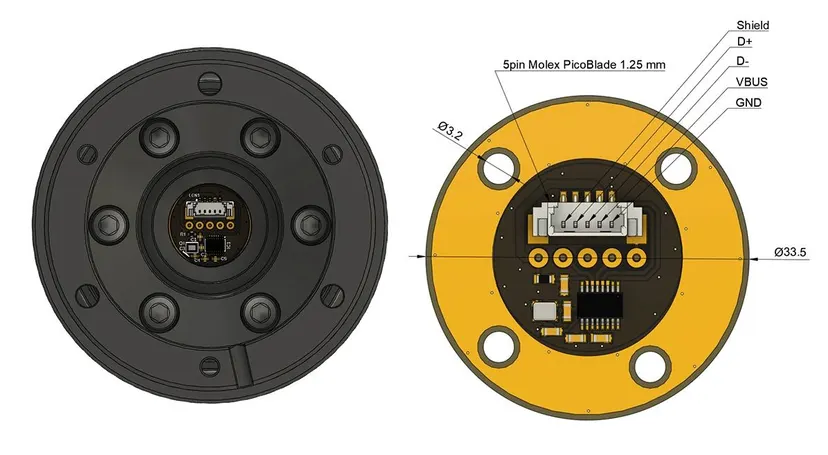
Now let’s see the compatibility with different combinations of hardware.
Compatibility examples with VRS hardware
1.1 R295 and (u)DFP20
It supplies both Data and Power to the wheel providing full compatibility using the new QR Connect (u)DFP20 adapter.
1.2 DFP15 with Formula wheel
It supplies both Data and Power to the wheel providing full compatibility using the new QR Connect Wheel adapter.

1.3 (u)DFP20 with Formula wheel using QR Connect
It supplies both Data and Power to the wheel providing full compatibility connecting the Lite and Pro Formula wheels with (u)DFP20 using both:
- QR Connect Wheel adapter with the
- QR Connect (u)DFP20 adapter

Compatibility scenarios with third-party hardware using QR Connect system
Warning: The VRS QR Connect system is designed to supply a maximum current of 1A, based on the rated capacity of the pogo pins and slip ring.
The DFP15 features an internal current limiting circuit that provides a minimum of 600 mA (3 W), with a typical output of 720 mA and a maximum limit of 900 mA. If your wheel requires more power, you may need to reduce the LED brightness to stay within these limits.
The QR Connect uDFP20 adapter is designed without an internal current limiter, allowing the connected device to draw current as needed—up to the system’s 1A maximum.
Please note that power injectors are not supported by the QR Connect system.
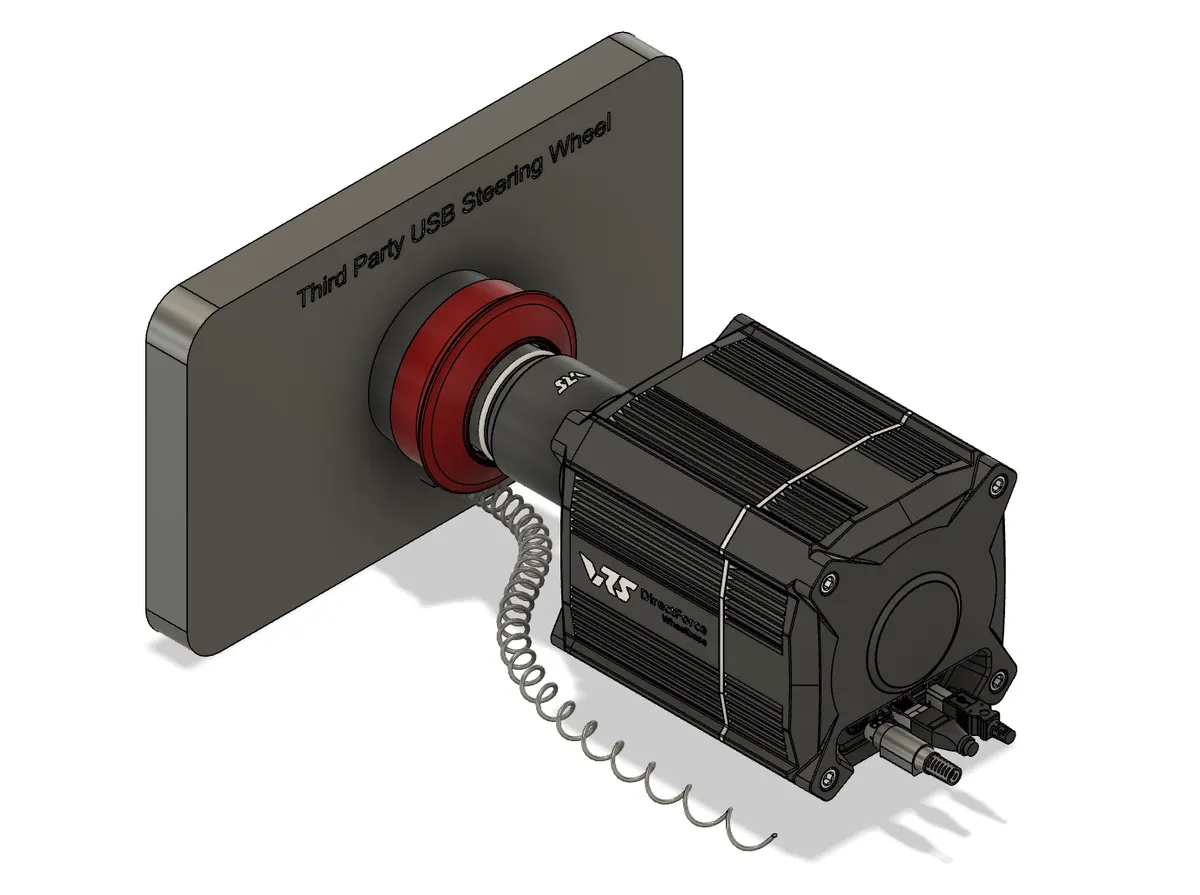
2.1 (u)DFP20 with third-party USB steering wheel
It supplies both Data and Power to the wheel providing full compatibility using both:
- QR Connect (u)DFP20 Adapter and
- QR Connect Wheel Adapter

Here, two adapters are used. USB data is passed via slip ring and goes to user PC via USB connector in front of QR Connect DFP20 Adapter.
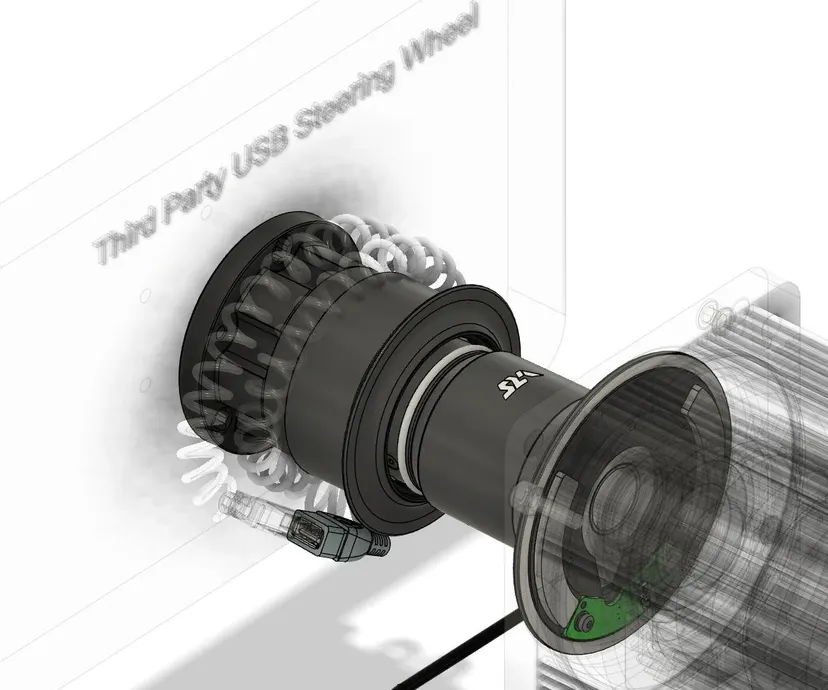
2.2 DFP15 with third party steering wheel
It supplies both Data and Power to the wheel providing full compatibility using 70mm QR Connect Adapter for USB steering wheels.
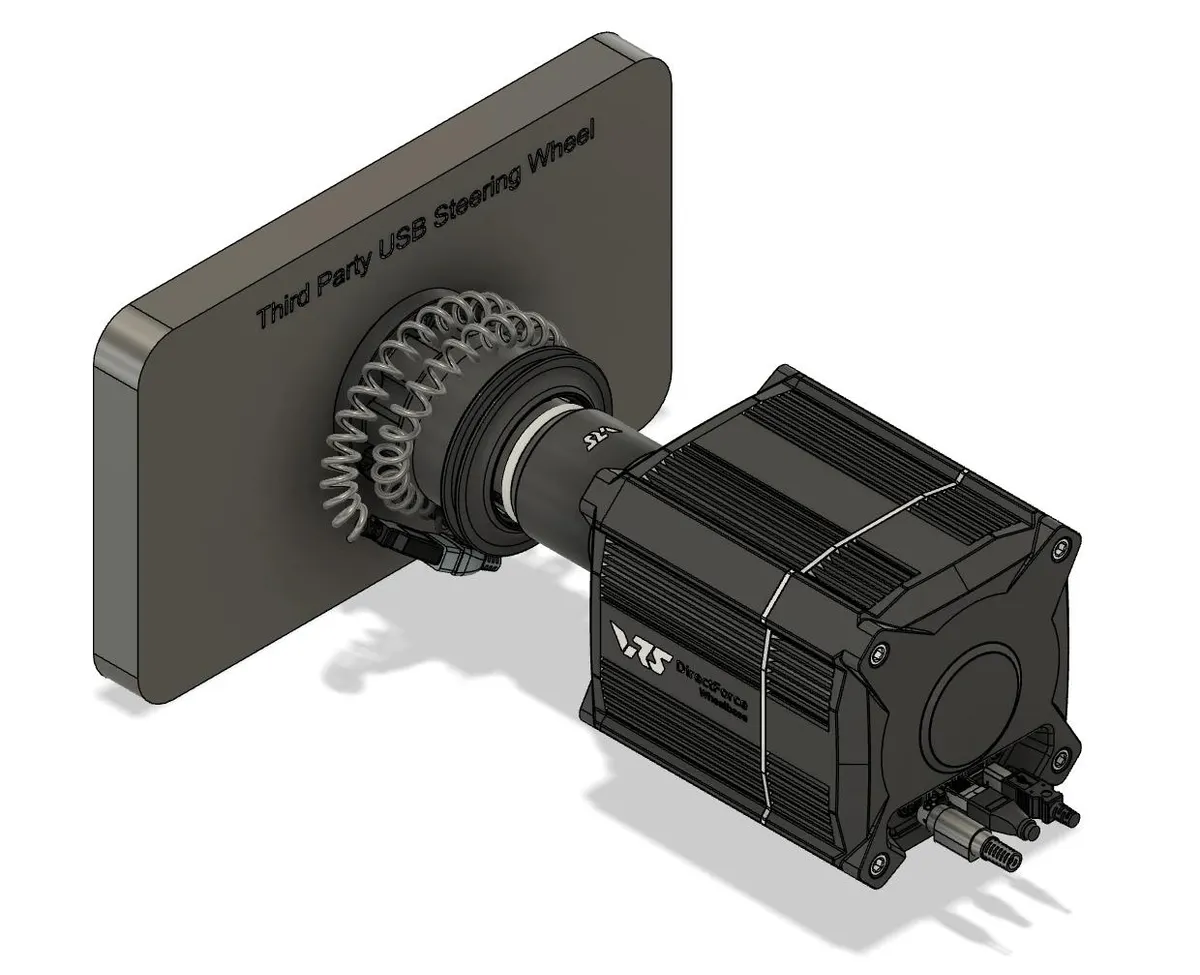
Here, only one adapter is used. USB data is passed via slip ring and goes to the user’s PC via USB hub inside the DFP15.
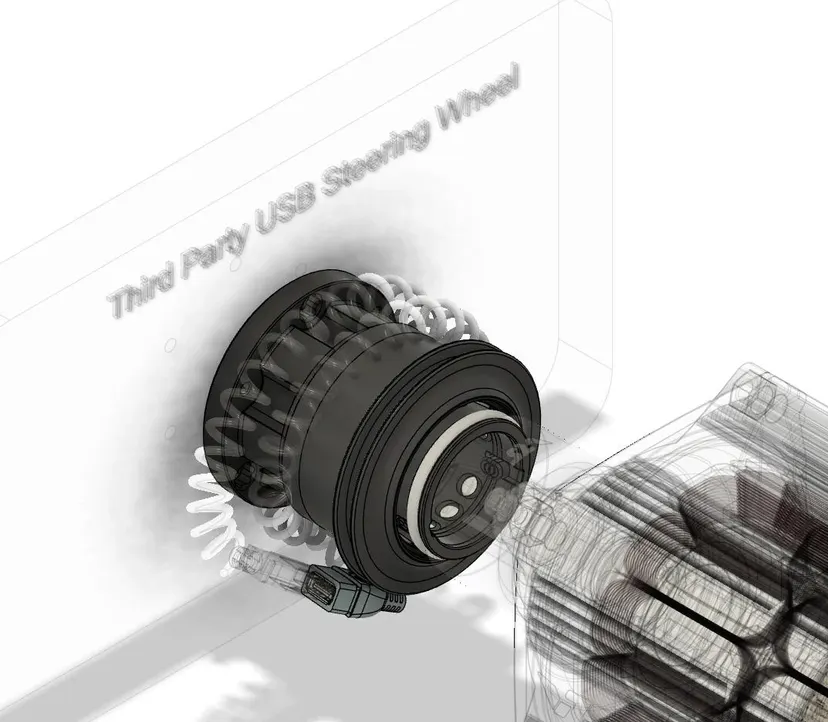
Compatibility with third-party hardware using off-the-shelf NRG QR
Warning: When using the VRS QR Connect system with third-party NRG QR please remove the internal PCB from it and use the USB coiled cable instead. VRS QR Connect supplies voltage to its contact pads in front of the wheelbase. If your third party PCB does not match the VRS open pattern it would expose your steering wheel to 5V supplied by VRS QR Connect to unexpected places which might lead to damage. Therefore you should only use the configurations suggested below with the third-party QR PCB removed.
3.1 (u)DFP20 with third party steering wheel
It’s mechanically compatible using (u)DFP20 QR Connect Adapter with silicone gap covers AND off-the-shelf standard NRG adapter (MOZA, Simagic, NRG, etc.).

3.2 DFP15 with third party steering wheel
It is mechanically compatible without using any adapter just with the slots covered AND off the shelf standard NRG adapter (MOZA, Simagic, NRG, etc.).
Compare wheel bases & bundles
- uDFP20 Torque UpgradeUnlock more torque on your uDFP20 — upgrade steps take you all the way up to a full 20Nm.
- DFP15 Wheel BaseThe compact, wireless 15Nm base with the same proven durability, at a lower entry price.
- DFP20 Wheel Base 20NmThe fixed 20Nm base for maximum, immediate force feedback straight out of the box.
Keep reading
- Why choose the VRS upgradable wheel base?Start affordable at 6Nm and unlock up to 20Nm of direct drive torque when you’re ready — no new base required.
- VRS Transitioning to the New QR Connect SystemMeet QR Connect — the redesigned quick release that fixes NRG-style misalignment for a rock-solid wheel connection.