
How to Get Faster in iRacing: A Pro Racer’s Secrets
August 26, 2024
|
3 mins read
Get proper equipment
Sure, you can play on a console and with controllers but if you want to learn the skill set of actual driving, you have to train your feet too. So, play it on PC with a decent video card, a wheel, and pedals. You’ll be glad you did.
Since there are many articles out there that are mostly advertisements, I’m only going to touch lightly on which sim racing gear you should use to learn iRacing. Most people start with lower-end Logitech or Thrustmaster equipment and some outgrow that equipment quickly so you need to make a decision whether you want to spend money and then spend more money and have old equipment collecting dust. If you are not sure, maybe find some used equipment so when you upgrade you can just sell it and break even.
The most important thing you can do is get a higher-end brake and throttle pedals. They make the biggest difference.

The next biggest impact you can make with equipment is to get a direct drive wheel with enough power so you can actually feel what real cars feel like in the corners from weight to slip. So, if you want to improve faster at iRacing, you have to get yourself realistic equipment sooner than later.
Learn the proper driving line
Figuring out where you should be on the track at any time isn’t something you just know. You have to learn it. So, take some time watching videos about the driving line, how types of cars are different from each other, when to exit wide, and when to sacrifice a corner to setup the next corner.
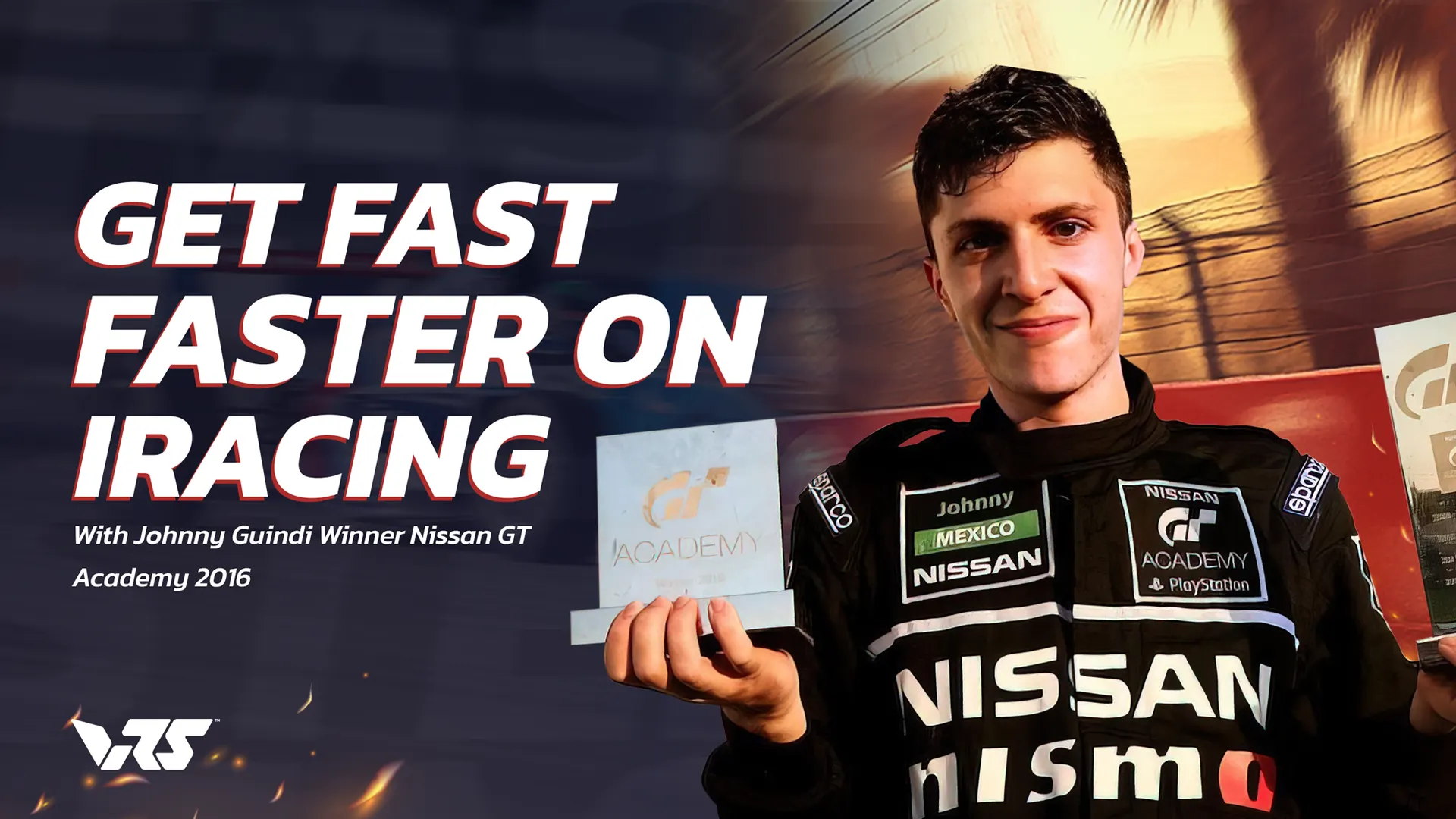
Johnny Guindi is a VRS coach, a winner of the GT Academy made famous in the movie Grand Turismo. He’s also the winner of the Skip Barber race series in 2020. Johnny put together a very good video regarding the racing line and how to attack different circuits that’s a must-watch for anyone trying to learn both sim racing and motorsports racing. If you want to learn the racing line and other valuable information on corners, characteristics of the car and more, you can find it here:

Learn the iRacing UI
The next step on your journey of becoming a good iRacing driver is to get familiar with the iRacing UI in the game. There are numerous tabs across the button of the page. You’ll want to map some controls like towing your vehicle and learn about the black box so you can make changes in the car. The graphics and sound are pretty simple but you will want to open the advanced tab on the graphics to set mirrors and other things.
Now, there are a couple important things to learn that aren’t obvious. When you exit your vehicle and you go to the replay screen you can hit Control/F12 to adjust your view and position in the cockpit. You should get familiar with this screen and options so you can get a view you like.
The second thing is the Alt/K combo when you are live in the cockpit. With it you can move your black box and other items around so they are where you want them to be.
Next, thing you need is to add your controls to buttons that you don’t have to look down to find. Having a good wheel with well placed buttons really helps. Set your black box forward and back in a place you can easily change. iRacing has full tutorials on the interface you should go thru to get the rest of the basics that aren’t obvious.
How to get along with others on track

Learn the rules and sporting code. The difference between iRating and Safety rating is crucial. To get out of rookie so higher-end cars are available to race is difficult for some, but it doesn’t have to be. You have to participate in 2 races or 4 time trials and have a safety rating of 3.0 or higher to get promoted to class D.
However, when you are driving at the rookie level, you will encounter lots of drivers who may not be taking it seriously, who don’t know how much to brake, who brake too late, and who will end up running into you.
Key Tip: Start in the back for a while. Don’t qualify. Just start in the back and let the pack get a little distance from you so you can avoid hitting them when they inevitably spin out in the Mazda MX-5. Alternatively, you can start from the pits. That means you must miss the start of the race and wait for the last car to pass the pit exit. Then iRacing will let you go. That will give you lots of room to not hit anyone.
When trying to get out of rookie you should never try to win the race. You should only worry about staying away from other drivers. Once you understand how inconsistent other drivers can be, it will be easier for you to avoid them.
Learn the Mazda Tracks
The best way to learn tracks is to drive them. But that doesn’t mean you’re driving them properly. If you want to learn how to drive them properly, https://vrs.racing has some free tools to speed up your learning curve.

First, if you go there and download the data logger software, you will have access to free telemetry for the Mazda MX-5. You will also have access to the coach’s data to compare your racing line with the coach’s racing line so you can see if you are braking early, late, throttling early, late, or running a good racing line. This FREE tool will give you a lot of information to shorten your time not only in Rookie class, but in the Mazda.

Another cool tool included in the VRS telemetry is the .blap/.olap files.

These are ghost cars you can load into options on the iRacing UI. When you turn the ghost car on you can follow it around to learn the proper racing line. I have my comparison Delta set to my TAB key. By scrolling through it you can compare against the ghost car by lap or sector. You can also compare your best time, your all-time best, and your last lap time with your current lap. It’s a great built in tool from iRacing.
The next tool offered FREE by https://vrs.racing is Quick Reference Track Maps.

Once you go into the VRS member site with your free account, you can download these helpful track maps and use them to learn the proper brake markers, when to exit wide, and when to sacrifice turns. They will show you where to approach corners, whether to stay off curbs or get fully on them, and they will tell you when to get on the throttle and when to lift. Thousands of iRacing users have learned from the VRS track maps and you can too.
Get faster soon with VRS track maps
My method of learning a new track is to go on track solo, do a bunch of laps and get familiar with the track. While I’m doing this, I’m looking to see where the coach brakes based on the track map cheat sheet. I learned how much I’m supposed to be braking or trail braking in a given corner and if I’m supposed to lift in places.
Once I can get around without relying on the green/yellow/red lines, I turn them off and upload the coach’s .blap file. First I put it on the sector and try my best to keep up. After numerous laps doing that and lots of referencing the track map to see why the coach is getting away, I go into the telemetry and start comparing my good and bad laps against the coach. Once I see where I’m braking too hard or too soon, I go back out on track and focus on the corners I’m losing time in. Once I’m getting them down and I’m not too far off the coach… i.e. the coach doesn’t disappear in the distance, I can then put the .blap on the full track. That’s when I usually make real progress. I don’t expect to beat the coach, but at least I’m staying close.
Getting on Track with Other Cars

Once you can successfully complete numerous laps by yourself on a particular track, it’s now time to get on with other cars and see how you are doing. That’s when you join a practice and see how your times compare with other rookies. Several things you should remember when you are practicing are to make sure you enter safely after a wreck. Drivers hate to be wrecked by other drivers entering the track after a mishap. On your out lap, make way for other drivers. Don’t screw up somebody else’s hot lap. Let fast cars pass. One day this will be you flying by other drivers, so be courteous when you are still learning, and don’t mess up a hot lap for someone else. Avoid traffic at all costs. Expect braking as you get close to turns and err on the safe side. This will keep you from being the guys who always “punts” people. And remember, if you have a mic, apologize when it’s your fault. When it’s not your fault, don’t be mean, don’t be cruel, don’t violate iRacing’s terms and code of conduct. And, never ever seek revenge.
First Races

Even if you are faster than other rookies, still start in the back or the pits. If you’ve done the other steps and you can stay on track, you need to make it first priority to not get close to other drivers. It doesn’t matter if you finish last until you’re out of rookie. So, start in the back, give traffic time to get away, and then get up to speed. You will still have cars on the side of the road trying to get back on track in front of you. When that happens, give them space or get by them safely and until they are getting close to passing you again just run a safe lap. Once they get behind you and you know they are faster than you, don’t block them. Let them by and get a clean race for your safety rating. If you follow these steps you won’t spend long in Rookie.
Once you reach Class D
Congratulations, you’ve earned your first license and hopefully did it a lot faster than most. But now that gives you a lot of options. Quite a few cars open up at this level. On one hand, you’ve put a lot of time into learning the Mazda and how it handles. And, it’s not a bad car to compete on because you’ll be up against people at your own experience level. So, your best option is probably to compete in the Mazda. But there are other cars you can go into like the F4, Ferrari, and others if you want to jump into deeper waters.
The main thing is to find something you want to master before going on to other things. To improve faster at the D class, you really need to stick to one car and one series and not try to do many things at once. By doing so, you will improve faster. And, at this level you need to learn about “race craft.” What is race craft? Race craft can be summed up as learning when to pass and how to pass. How to defend against people passing you and what techniques are not appropriate. The more you race the more you’ll learn race craft, but there are a lot of technical setups that you will need to learn. You should go to https://vrs.racing and look into some very low cost coaching.
How to continue to improve at iRacing
At this point, many people become frustrated because they lose irating and safety rating. However, you need to keep the following in mind.
Improving safety rating isn’t as hard as it looks. Yes, people are going to run into you because they don’t have the proper mindset. You not only need to have the proper mindset on track, you need to be aware that others don’t and expect people to make bad mistakes and decisions. So, that means drive super defensively. 1. Don’t go for that opening if you think the other car is not going to see you, especially at the lower levels. That means not only make sure you are next to the other car, but make sure the car can see you. So, no last-minute sends.
Next, anticipate wrecks ahead on lap one and other laps. Look for them. Figure out your track exit strategy on every turn one in the case of a wreck ahead. Is it safer to go in or out? Figure that out before you launch.
Have patience! If you need to put it on a sticky note, so be it. But, have patience. At the end of a race, P2 is not first loser, don’t blow a P2, P3, or P4 with a dumb move taking you and someone else out. Remember, it’s a long game, not a race by race contest where you are trying to win a series. Save that for when you get to that level.
Conclusion
If you want to improve faster at iRacing and not spend hours and hours making the same mistakes over and over, I’ve given you some simple advice and tools you can use to become better sooner and faster at iRacing. If you put in the time and laps to get your pace up past your competitors at your iRacing level, you will continue to climb. You will have good races and bad races. You will live to race again and there’s always another scheduled race. So if you haven’t yet, make sure you go to vrs.racing and download the data logger so you can be like the pros and log every lap. And, then go into the member site and download the free track maps. You’ll be glad you did. Just go https://vrs.racing and click on the go to member site button. That will get you started.